Real Estate Social Media Calendar: 30-Day Plan (Free Template)
A 30-day real estate social media calendar with post ideas, a weekly content framework, and a free downloadable template. Plan a full month in under an hour.

Most real estate agents do not fall off social media because they do not care. They fall off because every week starts with the same question: what do I post today?
A content calendar removes that question. You decide once, for the whole month, what goes out and when. Then you spend your time with clients while the plan does the work.
This guide gives you a 30-day real estate social media calendar you can copy, a simple weekly framework behind it, and a free template you can download and edit.
Download the free 30-day calendar template (CSV)
Why a calendar beats posting when you feel like it
Posting only when you have a free moment creates three problems.
- Gaps. A busy closing week turns into two quiet weeks, and your audience forgets you.
- Lopsided content. Without a plan, agents post whatever is on their mind, which is usually a new listing, then nothing.
- Decision fatigue. Deciding what to post every day costs more energy than writing the post.
A calendar fixes all three. It spreads your content across the month, keeps the mix balanced, and moves the thinking to one planning session instead of thirty small ones.
The five-pillar framework
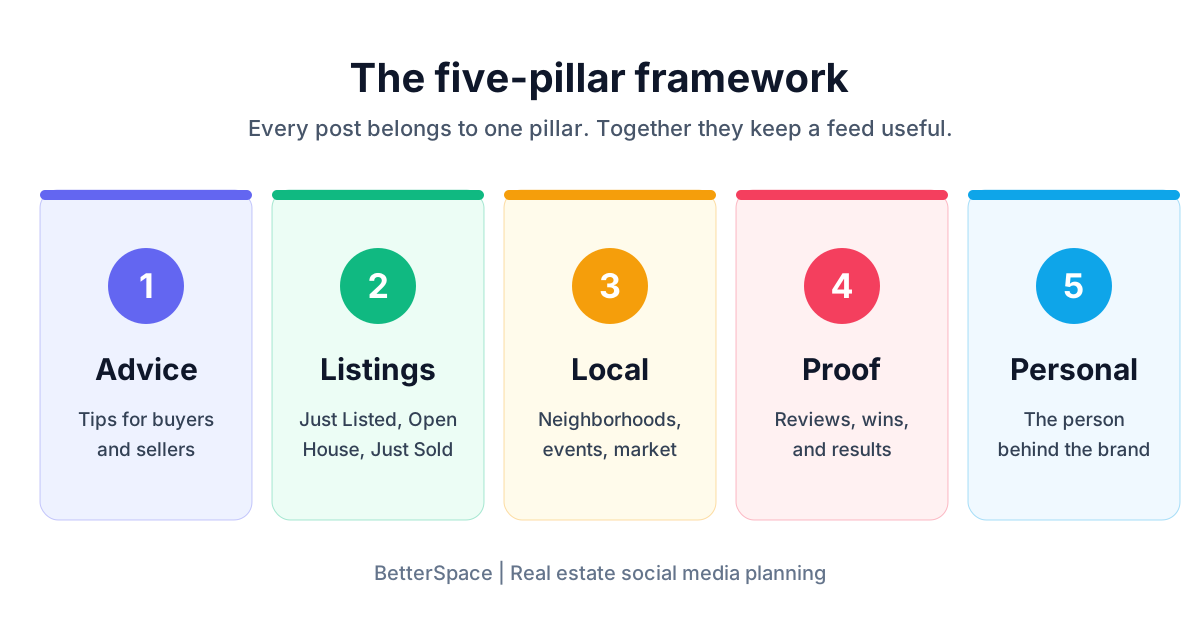
Every post in this calendar belongs to one of five pillars. This is what keeps a feed useful instead of repetitive.
- Advice. Tips for buyers and sellers. This is the content that makes people save and share a post, and think of you when they are ready to move.
- Listings. Just Listed, Open House, Price Change, and Just Sold posts. This is the content that sells properties, and video performs especially well here.
- Local. Neighborhood spotlights, new businesses, events, schools, and market updates. This shows you know the area better than a national portal does.
- Proof. Client wins, reviews, and results, with permission. This is how a stranger decides to trust you.
- Personal. A glimpse of the person behind the brand: your day, your team, why you do this work. People hire people.
A good weekly rhythm uses all five. Listings are the headline, but they should not be the whole feed.
A weekly rhythm that fits a working agent
Here is a simple week of five posts. Move the days around to suit your schedule.
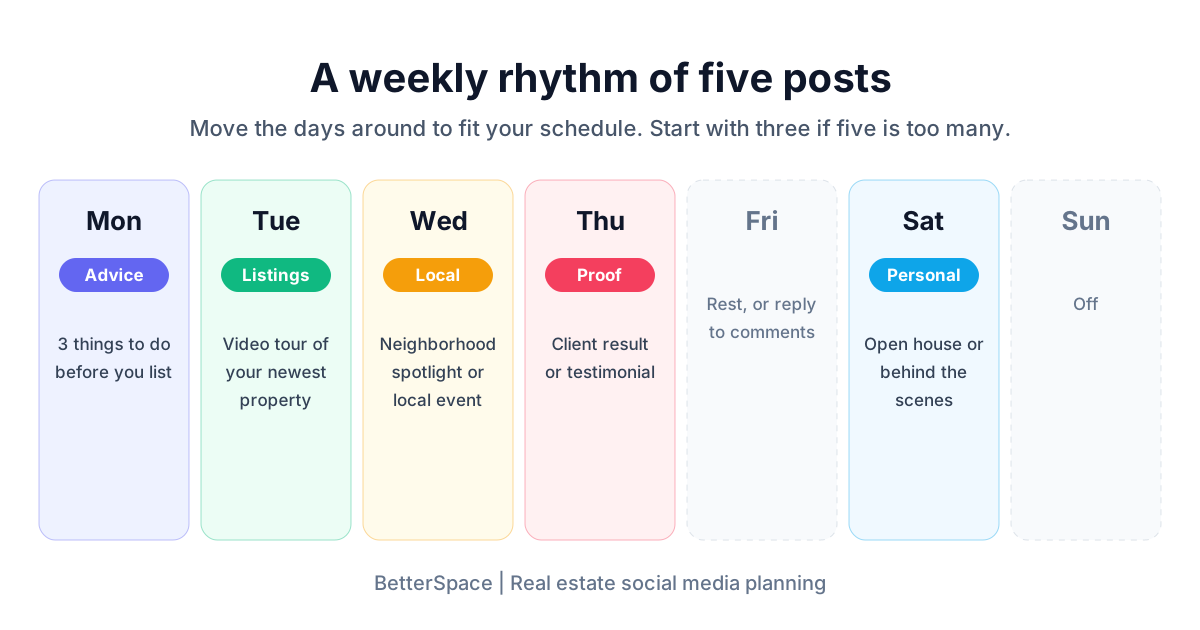
| Day | Pillar | Example |
|---|---|---|
| Monday | Advice | ”3 things to do before you list your home” |
| Tuesday | Listings | A listing video for your newest property |
| Wednesday | Local | A neighborhood spotlight or local event |
| Thursday | Proof | A client result or testimonial |
| Saturday | Personal | A weekend open house or a behind-the-scenes photo |
If five is too many right now, start with three: one advice post, one listing post, and one local post. Add the others once the habit sticks.
Your 30-day real estate social media calendar
This calendar runs four weeks, five posts a week, with a theme for each week so the month feels connected. The full version, with a suggested format and call to action for every post, is in the downloadable template.
Week 1: Introduce yourself and your market
| Day | Pillar | Post idea |
|---|---|---|
| Monday | Advice | The first three questions to ask when starting a home search |
| Tuesday | Listings | Video tour of your newest listing |
| Wednesday | Local | Your favorite coffee shop or park in the neighborhood you work in |
| Thursday | Proof | A recent client review with a short story behind it |
| Saturday | Personal | Who you are, how you got into real estate, and who you help |
Week 2: Help buyers
| Day | Pillar | Post idea |
|---|---|---|
| Monday | Advice | How pre-approval works, in plain language |
| Tuesday | Listings | An open house announcement with the date and time |
| Wednesday | Local | A neighborhood guide: schools, commute, and what the area feels like |
| Thursday | Proof | A story about a buyer who won in a competitive market |
| Saturday | Personal | A day showing homes, in photos |
Week 3: Help sellers
| Day | Pillar | Post idea |
|---|---|---|
| Monday | Advice | Five low-cost fixes that help a home sell |
| Tuesday | Listings | A before and after of a virtually staged room, clearly labeled |
| Wednesday | Local | What homes in your area have recently sold for |
| Thursday | Proof | A Just Sold post with the story of the sale |
| Saturday | Personal | A look at how you prepare a home for the market |
Week 4: Local market and community
| Day | Pillar | Post idea |
|---|---|---|
| Monday | Advice | A simple monthly market update, with one takeaway for buyers and one for sellers |
| Tuesday | Listings | A new listing or a price update |
| Wednesday | Local | A local business or event worth knowing about |
| Thursday | Proof | A thank-you post to recent clients, with permission |
| Saturday | Personal | A question to your followers: what should I cover next month? |
How to make each post type without starting from scratch
The calendar only works if the posts get made. These shortcuts keep each type quick.

Advice posts. Write down the questions clients asked you this week. Each question is a post. Answer it in four or five sentences, then turn it into a carousel or a short talking video.
Listing posts. A listing already has photos, a price, and a story. Turn those photos into a short video rather than posting a static image. BetterSpace can turn listing photos into a real estate listing video with music, voiceover, and captions, so the post is ready without opening an editor. If a room is empty, virtual staging lets buyers picture the space. Always label staged images as virtually staged.
Local posts. Keep a running list of places you already know. Photograph them when you pass by, so you have material for weeks you are short on time.
Proof posts. Ask for a short review at every closing and ask permission to share it. One good review can become a post, a story, and a testimonial video.
Personal posts. Keep these simple. A phone photo and two honest sentences usually beat a polished graphic.
What time should you post?
There is no single best time for every audience. Many agents see good results in the evening and on weekend mornings, when buyers are browsing at home, but your own audience may behave differently.
Test it. For three weeks, post at a few different times. Compare what happens on your own account, then keep the slots that work and schedule your posts for those times in advance. Our guide to the social media scheduler for real estate covers how to schedule once and let posts go out while you are with clients.
Seasonal themes to drop into your calendar
Add one seasonal angle a month so the plan stays fresh. A few starting points:
- Winter: Preparing a home for the market in the cold months, and how to show a home in low light.
- Spring: Curb appeal, decluttering, and why spring is a busy listing season in many markets.
- Summer: Moving with kids during the school break and outdoor living spaces.
- Fall: Getting a home ready before the holidays and year-end tax questions to ask a professional.
Adjust these to your market. A coastal market and a ski town do not share a calendar.
Keep it compliant
A calendar makes it easy to post often, so it is worth building in a quick check.
- Label virtually staged or AI-edited photos clearly.
- Get permission before sharing client names, reviews, or photos.
- Follow fair housing rules. Describe the property and the area, not the type of person who should live there.
- Check any rules from your brokerage, your MLS, or your local real estate association for advertising and social media.
How to plan a month in under an hour
Here is the batching method that makes the calendar practical.

- Choose your pace. Pick three or five posts a week, and the days they go out.
- Assign pillars. Use the weekly rhythm above, and give each week a theme.
- List the ideas. Fill every slot with a specific post idea. Specific beats clever: “Five fixes before listing” is a post, “Seller tips” is not.
- Create in batches. Write the captions together, then make the graphics together, then make the videos together. Switching between tasks is what makes content feel slow.
- Schedule. Load everything into a scheduler with the times you chose.
- Review once a month. Look at what got saved, shared, and replied to, and plan more of that.
Let a planner do the heavy lifting
A spreadsheet is a good start. The slow part is not the planning, though. It is writing thirty captions, designing the graphics, and editing the videos.
The BetterSpace social media content planner takes that off your list. Choose your dates, channels, and content mix, and BetterSpace plans the topics, writes the posts in your voice, builds the graphics and listing videos, and puts everything on your calendar. Every post waits for your approval before it goes out, so you stay in control of what gets published.
Use the template in this guide if you want to plan by hand. Use the planner if you would rather review a finished month than build one.
The short version
- Plan a month at a time.
- Use five pillars: advice, listings, local, proof, and personal.
- Start with three posts a week if five is too many.
- Batch the work: ideas first, then captions, then visuals, then scheduling.
- Test posting times on your own audience.
- Review once a month and do more of what works.
Download the free 30-day calendar template (CSV)
For more on getting more from your content, read our guides to real estate marketing tools, social media video for real estate, and creating a real estate video from photos.
Frequently asked questions
-
What is a real estate social media calendar?
A real estate social media calendar is a schedule of what you will post, on which channel, and on which day. It turns social media from a daily decision into a plan you set up once, so your feed stays active even in a busy week. -
How often should a real estate agent post on social media?
Five posts a week is a strong target for most agents, and three a week is a realistic minimum. Consistency matters more than volume. A pace you can keep for six months beats a burst of daily posts that stops after two weeks. -
What should real estate agents post about?
Mix five types of content: listings, advice for buyers and sellers, local area content, proof such as testimonials and results, and personal posts. A feed made only of listings gives people no reason to follow you between transactions. -
How far ahead should I plan my real estate content?
Plan one month at a time. A month is long enough to build a balanced mix and short enough to react to new listings, market changes, and seasonal events. Leave two or three open slots for anything that comes up. -
What is the best time to post on social media for real estate?
Evenings and weekend mornings are common starting points because many buyers are browsing then, but your audience may differ. Post at different times for a few weeks, compare the results on your own account, and keep the times that work. -
Can AI plan my real estate social media calendar?
Yes. A content planner such as the BetterSpace social media content planner can suggest topics for the month, write the captions in your voice, build graphics and listing videos, and put the posts on a calendar for you to approve before anything is published. -
Do I need a different calendar for each platform?
No. Plan one set of ideas and adapt the format for each channel. A listing video can run as a Reel, a TikTok, and a Facebook video, with a shorter caption on some and a longer one on others.